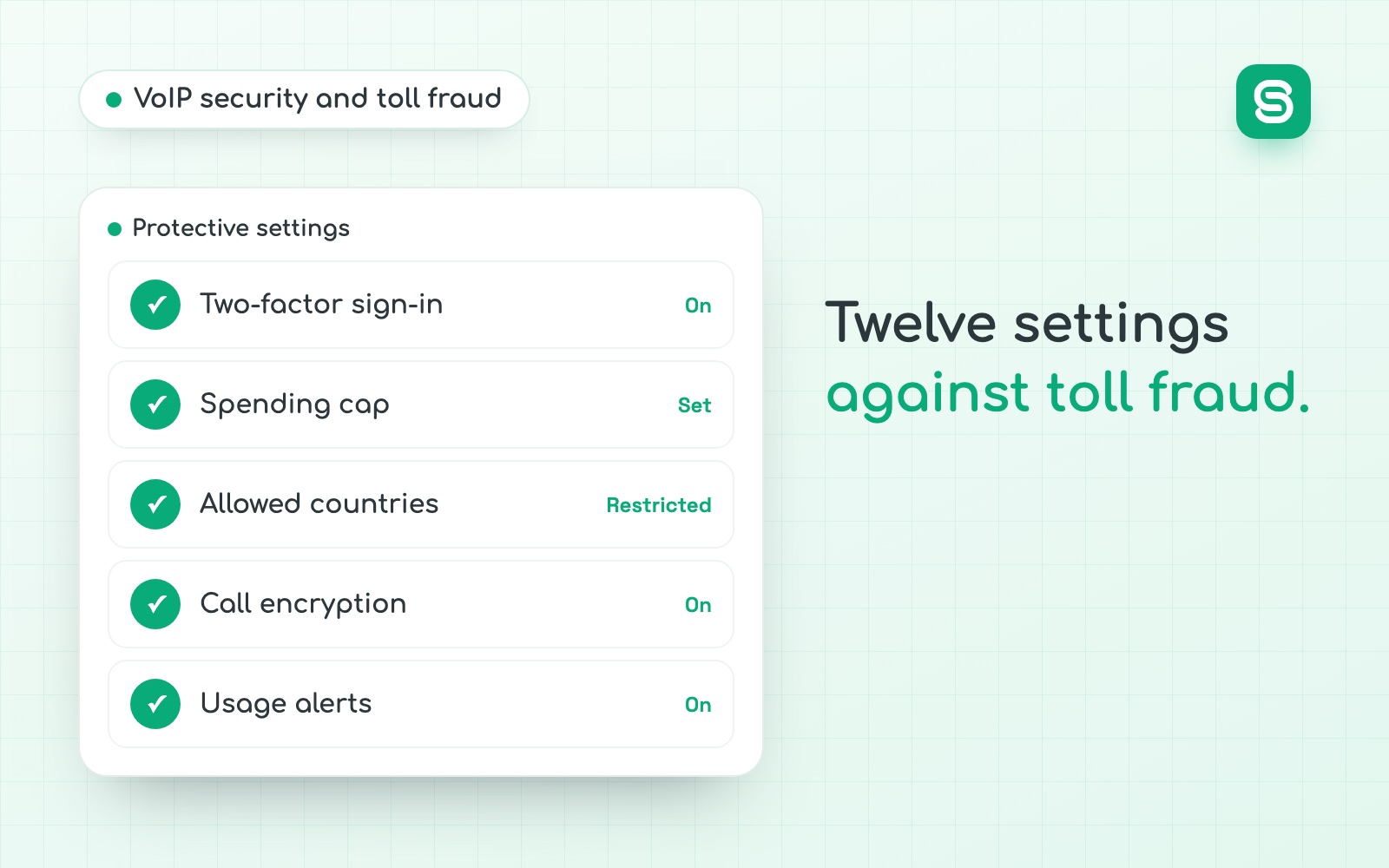
VoIP security comes down to one idea: your phone system is an online service that can spend money, so you protect it like a bank account, not like a phone. The most common telecom fraud against a business is simple. Someone opens a poorly protected account, runs calls to premium-rate numbers abroad while the office is empty, and the bill lands on the account holder. Twelve settings close that door, and six steps contain the damage if it is already open.
What is toll fraud, and why does it target businesses?
Toll fraud covers the schemes that make money for a third party by using someone else’s phone service. The old word is “phreaking”. The practical sheet circulated through Arcep’s business workshops describes the hijacking of phone lines as a worldwide problem, and names communication servers, whether a traditional PBX or an IP PBX, as prime targets.
The same sheet explains why: these systems are not secured as carefully as the rest of IT. A company that enforces multi-factor authentication on email often leaves 0000 as the PIN on voicemail boxes and the factory password on its PBX console. NIST made a similar point as early as 2005, when SP 800-58 warned that a range of security issues come with VoIP technology and that it needs its own countermeasures. The cyber-telecom crime report from Europol and Trend Micro says the same thing more bluntly: a PBX is often protected by nothing but a default or weak password. Telephony stayed in the blind spot of IT security, even though it sits on the internet like everything else.
Three things make a business a better target than an individual.
The sheet gives one order of magnitude. In November 2015, a French local government body received a €43,000 bill (about $48,000 at the European Central Bank rate we use on this site) for fraudulent calls placed abroad. It adds that organizations of every size are concerned. That amount sets the scale: one weekend is enough, and the worked example below shows why.
What are the 6 frauds that target a business phone system?
Six schemes keep coming back. They do not have the same goal: the first two go after your money through the bill, the third is the way in for the first two, and the last three target the people you call or your conversations.
| Fraud | What the fraudster does | The warning sign |
|---|---|---|
| Calls to international premium-rate numbers (IRSF) | Runs automated calls from your account to numbers that pay them a share of the price. | Outbound calls at night or on weekends to countries nobody calls. |
| One-ring calls (wangiri) | Leaves missed calls from a premium-rate number and counts on your team calling back. | One-second missed calls from unfamiliar international prefixes. |
| SIP account takeover | Guesses or steals an extension's username and password, then registers in your place from another country. | An extension signed in from an unusual address or country, bursts of failed logins. |
| Caller ID spoofing | Displays your number, or a trusted third party's, on their own calls. | Strangers call you back saying you called them. |
| Voice phishing (vishing) | Poses on the phone as the carrier, IT support or an executive to get a code or a settings change. | An urgent request for a code, a call forward or new bank details. |
| Eavesdropping and interception | Captures audio or signaling on an unencrypted network, or gets into call recordings. | Usually no visible sign: the setting protects you, not the alert. |
Calls to international premium-rate numbers
This is the one that costs money. The Arcep sheet calls it the most common attack: lines are diverted to premium-rate numbers abroad, with calls launched by automated systems that place as many as possible. The fraudster does not need to talk to anyone. The call only has to be answered at the other end, by a server they control, and billed by the minute.
The money mechanics explain the pace. Part of the price of a call to certain numbers is passed on to whoever operates the number. More minutes mean more revenue for the fraudster and a higher bill for you. Nothing gives them a reason to stop before someone cuts the line.
The Europol and Trend Micro report adds two useful details. Fraudsters normally keep their premium numbers in a different country from the one they attack, to exploit the gaps in cooperation between carriers and between police forces. And the carrier that hosts those numbers earns from every minute too, so it has no reason to cut first. In other words, nobody will protect you at the far end of the line. The cutoff has to be set on your side, beforehand.
The call that rings once
Wangiri works the other way around: the fraudster hacks nothing and waits for you to call. A bot leaves a one-ring missed call on thousands of numbers. Some recipients call back out of professional habit and reach a premium-rate number built to keep them on the line.
Sales and support teams are the most exposed, because returning calls from unknown numbers is part of the job. The fix is a rule more than a tool: nobody calls back an unfamiliar international prefix without checking who owns it. Blocking premium-rate destinations at the provider does the rest. To find out which country a missed call came from, our list of international dialing codes gives the match country by country.
SIP account takeover
Every desk phone, app and link between a PBX and a carrier signs in with a username and a password. Bots scan the internet around the clock for exposed phone equipment and try common passwords. When one works, the fraudster registers their own software on your account: to your provider, it is you calling.
If you run a SIP trunk between a PBX and a carrier, the risk is the same at a larger scale, since that link carries every call the company makes.
Caller ID spoofing
Nobody breaks in here. The fraudster shows your number on their calls to borrow your reputation, or shows your bank’s number to fool your staff. Two things follow: annoyed strangers call you back, and your number ends up flagged. We cover that second effect in the guide to a caller ID marked as spam, and the legitimate way to show who you are in the one on caller name display (CNAM).
Voice phishing
The fraudster calls an employee and claims to be the carrier, IT support or an executive. They ask for a code received by text, for a call forward to be switched on, or for a change of details. Synthetic voices make this more convincing than it used to be, which we describe in the article on how to tell if an AI is calling.
The useful rule is the one you apply to wire transfers: no request received by phone is acted on without a callback to a number you already had, never to the one the caller offers.
Eavesdropping and interception
ANSSI lists eavesdropping among the risks that moving to IP telephony increases, alongside fraud, intrusion and identity spoofing. A conversation that travels unencrypted over a shared network can be captured. The more ordinary risk is elsewhere: overly broad access to call recordings, which we cover in the guide to call recording laws for businesses. If your team calls from a browser, encryption is required by the standard itself, as explained in our comparison of VoIP vs WebRTC.
The rule sheet to pin up for the team
Three of the six frauds go through a person, not a password. Four rules fit on one sheet, and they cost nothing.
Phone: our four rules
How does a phone system hack unfold?
The scenario below puts together the elements the Arcep sheet and the ANSSI note describe: automated calls, outside working hours, to foreign destinations, from an account with a weak password. It is illustrative. Read the white box in each step: every moment has a setting that would have stopped it.
- Fri 7 pm
The office empties
Nobody will look at the call log before Monday. This is the window the fraudster waits for.
The setting that stops itAn alert that reaches a phone, not an inbox nobody opens on weekends.
- Fri 11 pm
An account is opened
A bot tries credentials on an extension, a voicemail box or the admin console until it hits a weak or default password.
The setting that stops itLong, unique passwords, multi-factor authentication, lockout after a few failed attempts.
- Sat 1 am
The first calls go out
A few short international calls serve as a test. Nobody reacts, so the bot moves to full speed.
The setting that stops itAn allow-list of countries. A destination off the list is refused on the first call.
- Sat and Sun
The calls pile up
Dozens of simultaneous calls to premium-rate numbers, day and night. Each minute pays the fraudster a share of the call price.
The setting that stops itA daily spend cap and a maximum number of concurrent calls per account.
- Mon 8:30 am
Someone notices
A line that is busy for no reason, a message from the carrier, or the bill. The traffic ran for about sixty hours.
The setting that stops itAn automatic block on outbound calls outside working hours.
Two lessons come out of it. First, no step needs rare skills, everything is automated. Second, five different settings would have done the job, and any single one of them would have limited the bill. Phone security is not a wall. It is a series of small locks, each catching what the previous one missed.
A password always leaks eventually. What decides the size of the bill is what the account was allowed to do that night.
How much can PBX hacking cost?
The amount depends on three numbers: how many calls run at once, for how many hours, and at what price per minute. The first two are set on your side. The calculation below keeps the window from the scenario and uses an example price of $1 a minute. That is an assumption for the math: real rates vary by destination.
-
No limit at all
10 calls × 55 h × 60 min × $1
$33,000
-
At most 2 concurrent calls per account
2 calls × 55 h × 60 min × $1
$6,600
-
Spend cap of $100 a day
$100 × 3 days touched (Saturday, Sunday, Monday)
$300
-
Country allow-list, or off-hours block
The destination is refused on the first call
$0
The last two settings do not slow the fraud down: they cap it or prevent it.
The first result is in the same range as the €43,000 bill cited in the Arcep sheet. The rest of the table carries the lesson: limiting concurrent calls divides the bill, but only the spend cap and the country list bring it down to an amount you absorb without noticing. That is why limits open the list of twelve settings.
Who pays the bill when a line is hacked?
This is the question everyone asks too late. In practice the bill goes to the account holder: the calls left from its system, with its credentials, and the carrier routed them and paid the destination networks. The example in the Arcep sheet shows it: the local government body is the one that received the €43,000 bill.
What happens next depends on three documents, not on a general principle.
The sheet also notes that the installer has a duty to advise and warn. If a vendor set up your PBX and left the original passwords in place, keep that fact for the file.
Which warning signs should make you act?
The ANSSI note recommends regular monitoring of phone billing as a way to detect fraud, with attention to five indicators: premium-rate calls, international calls, calls outside working hours, long calls and call statistics. Turned into everyday checks, that gives eight signs.
One practical detail: an alert that lands in a shared inbox is useless on a Saturday. Send it to the phones of two named people.
What are the 12 settings that protect a VoIP phone system?
They fall into four families, in the order that pays off most. Limits come first because they contain the damage whatever happens to passwords.
Limit what an account can spend
- 01
A country allow-list.
Open only the destinations you really call. The Arcep sheet puts it plainly: if your business does not need to call abroad, choose domestic-only access. The ANSSI note lists international calling among the features that need particular attention. - 02
A daily and monthly spend cap.
Ask for an amount above which paid outbound calls are cut, not merely flagged. Set it a little above your best day, not at ten times that. - 03
A maximum number of concurrent calls per account.
A rep makes one call at a time, a few with a dialer. No extension needs thirty calls in parallel. The difference between a line, a number and a concurrent call is explained in our guide to a multi-line phone system for a small business. - 04
A time-of-day restriction.
Block outbound international and premium-rate calls outside your working hours. This is exactly the protection the Arcep sheet suggests asking the carrier for.
Close the doors
- 05
Long, unique passwords, changed at setup.
The first rule in the Arcep sheet: change every password at installation and regularly afterwards, and make them complex. That covers desk phones, apps, carrier links and voicemail PINs. - 06
Multi-factor authentication on admin accounts.
ANSSI says the ideal for admin accounts is two-factor authentication, and that default accounts should be removed, or at least have their password changed. CISA describes MFA as extra security that confirms your identity at login, so a stolen password alone is not enough. - 07
Named accounts, reviewed at every departure.
No shared account, no “front desk” login ten people know. A former employee’s account is closed the day they leave. The Arcep sheet asks for one named person trained in these procedures. - 08
Risky features off by default.
ANSSI recommends turning risky features off for everyone, then reopening them for those who need them. The Arcep sheet names call forwarding to outside numbers: enable it only where the user needs it.
Protect calls in transit
- 09
Encryption for signaling and audio.
ANSSI recommends securing both media and signaling flows. In practice that means TLS for signaling and SRTP for audio. Ask your provider whether both are on by default on every device and in the mobile app. - 10
A voice network separate from the data network.
The Arcep sheet states it as a rule: voice and data traffic should travel over two distinct networks. This mostly concerns setups with desk phones and an on-premises PBX.
See what is happening
- 11
Updates that are actually applied.
The Arcep sheet points out that manufacturers regularly update the security of their products and advises a support contract that includes those updates. With a hosted phone system the provider handles it: ask them to confirm. - 12
Logs you keep and alerts in real time.
Call and login logs are how you detect, then prove. Alerts should fire on a threshold of calls, spend or unusual destinations, and reach a phone.
Which setting stops which fraud?
No single setting covers all six frauds. Use this table to check that no gap is left, and to avoid counting on a protection for something it does not do.
| Fraud | What stops it | What is not enough |
|---|---|---|
| Calls to international premium-rate numbers (IRSF) | Country allow-list, spend cap, concurrent call limit, off-hours block (settings 1 to 4). | Encryption: the fraudster's calls are encrypted too. |
| One-ring calls (wangiri) | Country allow-list and premium-rate blocking (setting 1), plus a no-callback rule. | Passwords: nobody broke in. |
| SIP account takeover | Unique passwords, multi-factor authentication, named accounts, login logs (settings 5, 6, 7 and 12). | An alert on its own, read on Monday. |
| Caller ID spoofing | Nothing in your settings: report it to your carrier and warn the people you deal with. | Changing passwords: your account is not the problem. |
| Voice phishing (vishing) | The callback rule on a number you already had, and risky features off by default (setting 8). | Multi-factor authentication, if the employee reads the code out loud. |
| Eavesdropping and interception | Encrypted signaling and audio, a separate voice network, restricted access to recordings (settings 9 and 10). | Spending limits: eavesdropping places no calls. |
Voicemail, call forwarding, old accounts: the three blind spots
Three items slip through almost every security review, because they do not look like IT accounts.
Voicemail. A four-digit PIN left at its default opens the mailbox, and sometimes callback or forwarding features with it. Change PINs when the extension is created and ban obvious sequences.
Call forwarding to outside numbers. It is a useful feature and a fraud tool: a forward set to a premium-rate number turns every inbound call into a paid one. The ANSSI note lists call transfer among the features to watch. Restrict it to domestic numbers, or to the people who use it. The codes that let you check whether a forward is set on a line are in our guide to call forwarding vs call transfer. If your front desk runs on a phone menu, the same caution applies to its redirects, described in our guide to IVR.
Accounts nobody uses. A meeting-room phone that never rings, a departed intern’s login, a former vendor’s access. Nobody will notice when they start calling. ANSSI also advises against remote maintenance by outside vendors and, where it is unavoidable, recommends dedicated accounts that are activated temporarily.
Remote teams add a fourth item: the home network. We cover it in the guide to a phone system for remote teams. And when the work line lives on an employee’s own phone, the precautions for that case are in the one on a business number on a personal phone.
What should you do in the first hour after a hack?
Order matters. Every minute of calls in progress adds to the bill: cut first, understand later.
- 01
Block outbound international and premium-rate calls.
In your phone system’s console if you have access, otherwise by calling the carrier’s support line. If you cannot find the setting, suspend outbound calls on every account: an hour without calls beats an hour of fraud. - 02
Change every password.
Not only the suspect account: admin, extensions, apps, voicemail PINs, carrier links. Sign out all open sessions and delete any call forward you did not set. - 03
Notify your carrier in writing.
Call first, then send an email that dates the facts. Ask for a block on the destinations involved, complete call records, and a hold on the disputed charges while the case is reviewed. - 04
Preserve the evidence.
Export call and login logs before any reset, with dates, numbers called and connecting addresses. Take screenshots of the settings that were changed. - 05
Report it.
The FBI’s Internet Crime Complaint Center describes itself as the central hub for reporting cyber-enabled crime and asks victims to file even when unsure whether the complaint qualifies. The FTC takes fraud reports at ReportFraud.ftc.gov. Reporting is routine: IC3’s 2025 annual report counts 1,008,597 complaints for the year and $20.877 billion in reported losses, all types of cyber-enabled crime combined. - 06
Tell your insurer and your bank.
Declare the loss within the policy deadline, and warn your bank if the carrier bills by direct debit or card. Ask the insurer what proof it needs before you tidy up.
A report will not refund the bill, but it dates the facts and becomes a document in the discussion with the carrier and the insurer.
Here is the message to adapt for the carrier.
Subject: fraudulent use of our line, request for an immediate block
On (date, time) we found outbound calls that we did not place, from account (ID), to (countries or numbers).
We changed all our passwords on (date, time) and are filing a report with law enforcement.
Once the emergency is over, find the door. Most of the time it is a weak password, a forgotten account or a call forward. Until you have identified it, assume it is still open.
The checklist to copy
Go through it with your provider, then once a quarter.
Limits (1 to 4), access (5 to 8), protection and visibility (9 to 12)
How do you keep it secure over time? The 20-minute quarterly review
Settings drift. People join and leave, a country gets opened for one deal and never closed, an alert keeps going to someone who changed jobs. A short review every quarter catches most of it. Put it in the calendar of the person who owns the phone system, with a backup.
- 01
Compare accounts with the staff list.
Every active account should match a person or a named device. Close what does not match, starting with people who left during the quarter and vendors whose work is finished. - 02
Reread the allowed countries.
Remove any destination nobody has called in three months. Reopening one later takes minutes; an open destination nobody watches is the classic way in. - 03
Check the cap against real usage.
Look at your highest day of the quarter. If the cap is far above it, lower it. If the team hit it during normal work, raise it a little rather than removing it. - 04
Test one alert.
Ask your provider how to trigger a test, or check when the last real alert fired and who received it. An alert nobody has seen arrive is an assumption, not a control. - 05
Scan the log for the five indicators.
Premium-rate calls, international calls, off-hours calls, long calls, and any account whose volume jumped. Five minutes with the export is enough for a small team.
Write the date and the name of the reviewer at the top of the checklist. If something goes wrong later, that record shows what was in place and when, which matters in a dispute over a bill.
On-premises PBX or hosted phone system: who does what?
The split of duties changes with the setup, and that is often where the misunderstanding starts: each side assumes the other is handling it.
| Topic | PBX on your premises | Hosted phone system |
|---|---|---|
| Security updates | Yours, or the installer's under the support contract. | The provider's. |
| Exposure to the internet | You manage the firewall, the separate voice network and remote maintenance access. | The provider protects the platform; you still own the network your devices sit on. |
| Passwords and accounts | Yours. | Yours. |
| Spend caps and allowed countries | Set with the carrier that routes your calls. | Set in the console, or requested from the provider. |
| Logs and alerts | Configured on the equipment. | Provided by the platform, to be switched on and sent to the right people. |
Arcep’s 2026 digital guide for businesses makes the same point about carriers in general: their services do not systematically include protection mechanisms, and a business should look closely at the guarantees provided by default and understand their limits. Put differently, a hosted phone system takes patching off your plate, not the job of configuring your accounts. The two architectures are compared in our guide to the business phone system, and the basics of how it works in the one on business VoIP phone service.
What should you ask a phone provider before you sign?
Eight questions, sent in writing. Vague answers are information too.
If you are equipping sales reps, our comparison of the best VoIP for sales teams helps you pick the providers to send these questions to.
Where does Skipcall fit?

Skipcall is an outbound calling tool. Each rep has a number and calls from the web or mobile app, with call recording, transcription and AI summaries. There is no PBX to install on your premises, so no equipment for you to patch or expose to the internet: that part of the work sits with the platform. Your users’ accounts still need the same care as anywhere else: one account per person, closed the day they leave.
On data, two documents are public: our data processing agreement and the list of our subprocessors. They are what the eighth question above asks of any provider.
Skipcall does not replace a front-desk phone system: it has no phone menu, no call queues and no inbound call routing. If that is your main need, the settings in this guide belong on your PBX. The entry plan is described on the business VoIP page, from $25 per user per month.
The 6 mistakes that leave the door open
- Believing encryption is enough. It protects the conversation, not the account.
- Leaving international calling open “just in case”. The case rarely comes, the fraud more often. A destination can be reopened in minutes the day you need it.
- Setting an alert without a cutoff. An alert read on Monday morning describes the fraud. It does not stop it.
- Sharing one account between several people. The password ends up in a file, then in a former employee’s inbox.
- Forgetting voicemail and forwarding. They are accounts like any other, with weaker codes.
- Reading the contract after the loss. “Who pays” is a question to settle before, not during.
One last point, unrelated to fraud but often confused with it: choppy audio or dropped calls are not a sign of hacking. It is almost always the network, and our VoIP speed test shows it in a minute. The symptom-by-symptom diagnosis is in the guide to VoIP call quality problems.
What to remember
- The fraud that costs money is account takeover to call premium-rate numbers abroad, outside working hours.
- Four limits bound the bill: allowed countries, daily spend, concurrent calls, time of day. In our worked example, the same weekend costs $33,000 with no limit and $300 with a $100 daily cap.
- Four locks close the doors: unique passwords, multi-factor authentication, named accounts, risky features off by default.
- Encryption and a separate voice network protect conversations; updates, logs and alerts let you see.
- After a hack: cut, change passwords, write to the carrier, keep the evidence, report it, tell your insurer.
- Ask your provider in writing what is active by default. What is not written down is not configured.
Sources, read on November 11, 2026: NIST SP 800-58, Security Considerations for Voice Over IP Systems (January 2005); CISA, Turn On MFA; the FBI’s Internet Crime Complaint Center and its 2025 annual report; the Cyber-Telecom Crime Report 2019 from Europol and Trend Micro; the FTC’s ReportFraud site; ANSSI’s technical note on securing an IP telephony architecture (December 23, 2013, in French); the practical sheet on phone fraud against businesses from the EBEN federation and Arcep’s business workshops (updated May 2, 2016, in French); and sheet 8 of Arcep’s 2026 digital guide for businesses (in French). Several of these documents are old: their principles still hold, but check with your provider what applies to your setup.